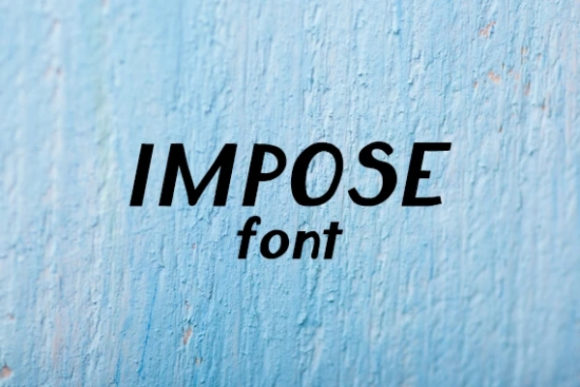
Pixel Smart: A Display Font for Bold Visual Statements
First Impressions: Crisp, Clean, and Contemporary
When I first laid eyes on Pixel Smart, it struck me as a modern take on digital typography. Its clean lines and geometric structure immediately suggested a font designed for clarity and impact. The letters feel precise, almost like they were built with pixel-perfect attention to detail. This gives the typeface a strong visual personality—sharp, structured, and slightly futuristic.
The mood created by Pixel Smart is one of minimalism and tech-forward design. It’s not a font that shouts, but rather one that commands attention through its precision. It feels at home in projects that need to convey innovation, efficiency, or a touch of digital sophistication.
Real-World Performance: Where Pixel Smart Shines
Pixel Smart has proven itself in several real-life scenarios. In logo design, it works well for brands that want to project a modern, tech-savvy image. Its boldness makes it ideal for brand marks that need to be instantly recognizable.
In packaging design, especially for premium products, Pixel Smart adds a layer of professionalism. It can be used for product labels, ensuring readability while maintaining an aesthetic edge. For posters and flyers, the font’s high contrast and clear forms make it suitable for both large-scale prints and smaller promotional materials.
When it comes to website headers or blog graphics, Pixel Smart performs admirably. It holds up well on screens and maintains its sharpness even when scaled down. In social media graphics, the font helps create a consistent look across platforms, which is crucial for brand identity.
For digital ads and printable products, the font’s versatility shines. It pairs well with other styles—whether it's beside a serif font for a more traditional look or a script font for a creative twist. It also integrates smoothly into Canva templates and Cricut projects, making it a go-to choice for design assets that need to be both functional and stylish.
Where Caution is Warranted
While Pixel Smart is a powerful display font, it should be used carefully in certain contexts. Its geometric nature may not suit every project. For example, in supporting text or body copy, the font might feel too rigid or lack the warmth needed for extended reading.
It’s best reserved for large headlines, short phrases, or decorative accents. When used in premium packaging or social posts, it adds a sense of exclusivity and modernity. However, if you're aiming for a more organic or handcrafted vibe, Pixel Smart may not align with that aesthetic.
Readability and Design Impact
Pixel Smart excels in readability, especially in larger sizes. Its clean structure ensures that each letter is easily distinguishable, even from a distance. This makes it an excellent choice for editorial design, where clarity is key.
In terms of brand consistency, the font helps maintain a cohesive visual language across different mediums. Whether used in web design or print materials, it reinforces a unified brand image. This consistency builds audience trust and enhances recognition, which is vital for any brand looking to stand out.
The font’s structured appearance also contributes to a professional visual mood, which can influence engagement by creating a sense of reliability and competence. This is particularly important in digital products or commercial design assets that require a polished look.
Designer Notes: Practical Tips for Using Pixel Smart
Before committing to Pixel Smart in a project, consider these practical steps:
- Test in black and white: This helps evaluate how the font looks without color distractions.
- Check small-size readability: While it’s great for large headlines, ensure it still works effectively in smaller sizes.
- Try it on real mockups: Seeing the font in context can reveal how it interacts with other design elements.
- Compare uppercase and lowercase: The contrast between the two can affect the overall tone of your design.
- Review spacing: Proper tracking and kerning are essential for maintaining balance and legibility.
- Test it beside other fonts: Pairing Pixel Smart with a serif font, sans serif font, script font, or handwritten font can enhance font pairing and add depth to your design.
- Confirm commercial licensing: If you're using it for client work or business purposes, always ensure you have the appropriate commercial font license.
Pixel Smart is a versatile display font that brings a fresh, modern energy to any project. When used thoughtfully, it can elevate the visual impact of brand identity, packaging design, web design, and more. As a designer, I find it to be a reliable tool in my toolkit—a creative font that delivers both style and substance.